
Migrate Your Foxpro Data to InterSystems Cache – Effortlessly!
This clear guide demonstrates how to transfer your data from Foxpro to InterSystems Cache efficiently using ESF Database Migration Toolkit.- Execute a step-by-step, reliable migration process.
- Simplify complex data transfers with an intuitive tool.
- Save significant time and effort with automation.
- Modernize your data infrastructure with ease.
Prerequisite:
Software Required:
ESF Database Migration Toolkit »System Supported:
- Windows 7 or higher.
- Foxpro 2.6 or higher.
- InterSystems Cache 2015.1 or higher.
Step by Step Wizard:
-
Configure Visual FoxPro or FoxPro/dBase Data Source
- In the "Choose a Data Source" dialog:
- Select either:
- "Visual Foxpro Database (*.dbc)"
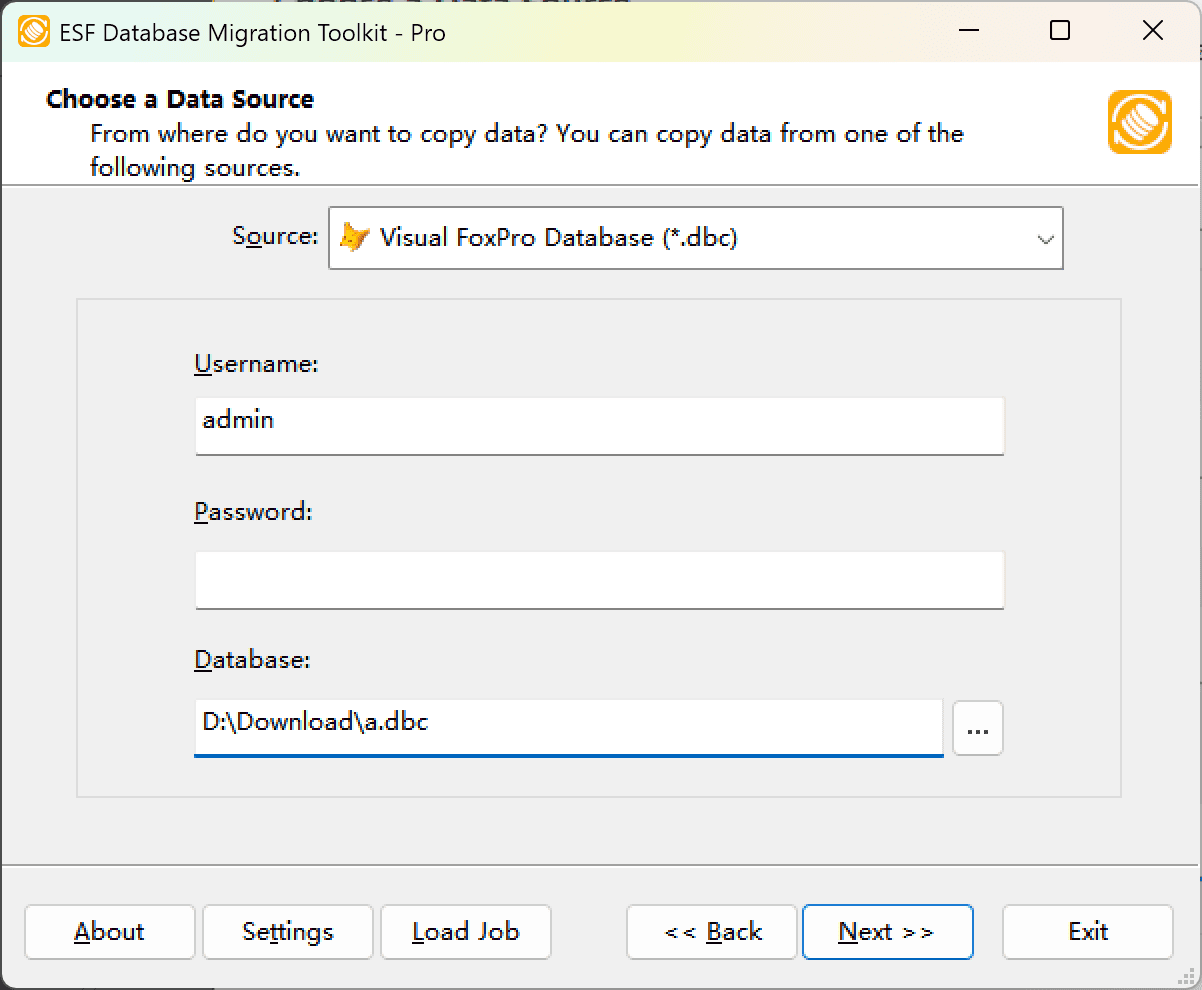
Fig. 1: Visual FoxPro Database (*.dbc) configuration - or "FoxPro/dBase Free Table (*.dbf)"
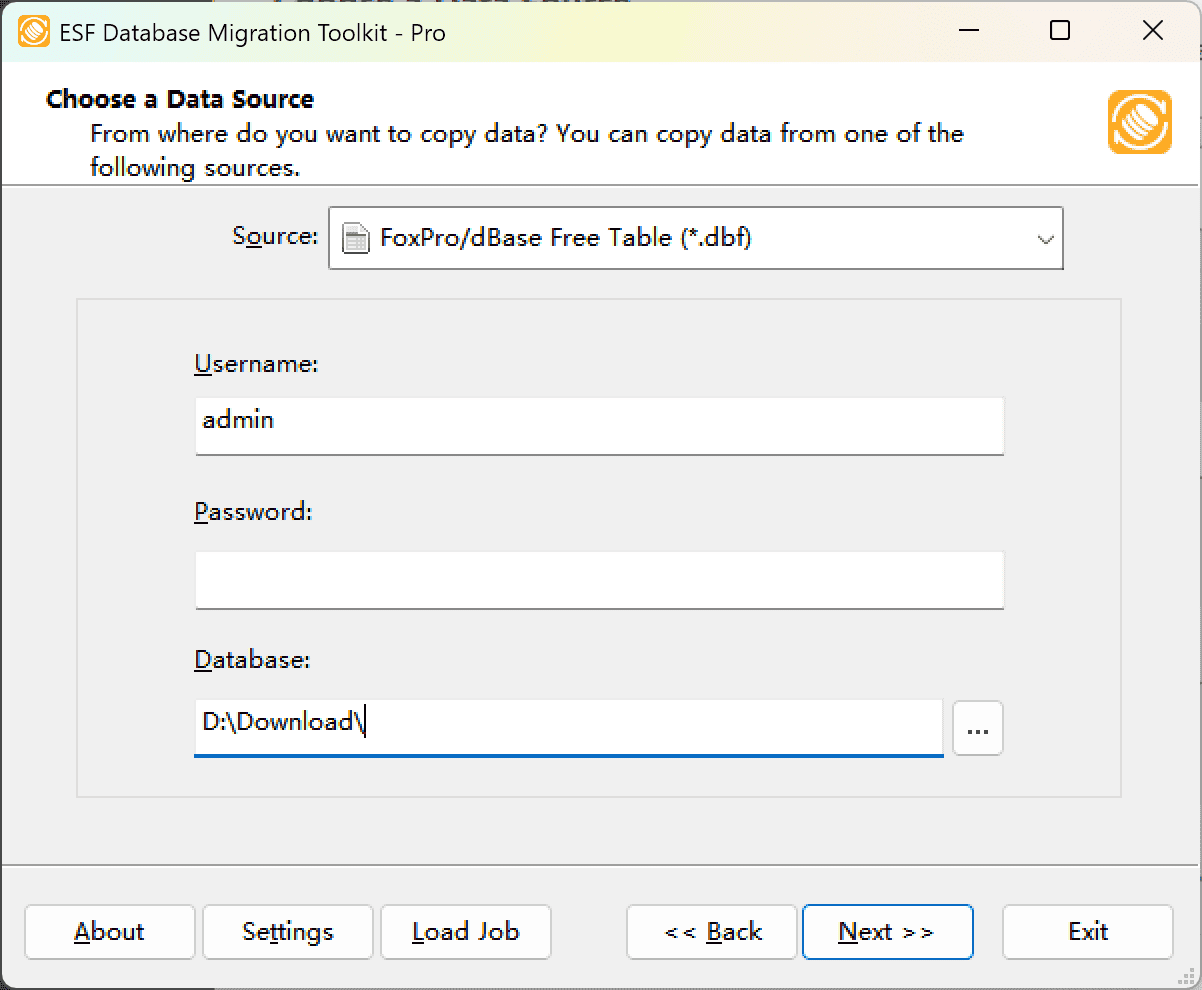
Fig. 2: FoxPro/dBase Free Table (*.dbf) configuration
- "Visual Foxpro Database (*.dbc)"
- Select either:
- File/folder selection:
- Click the "..." button (Browse)
-
For Visual FoxPro Database:
- Browse to and select your .dbc file
-
For FoxPro/dBase Free Tables:
- Select the folder containing your .dbf files
- In the "Choose a Data Source" dialog:
-
Configure InterSystems Cache Destination
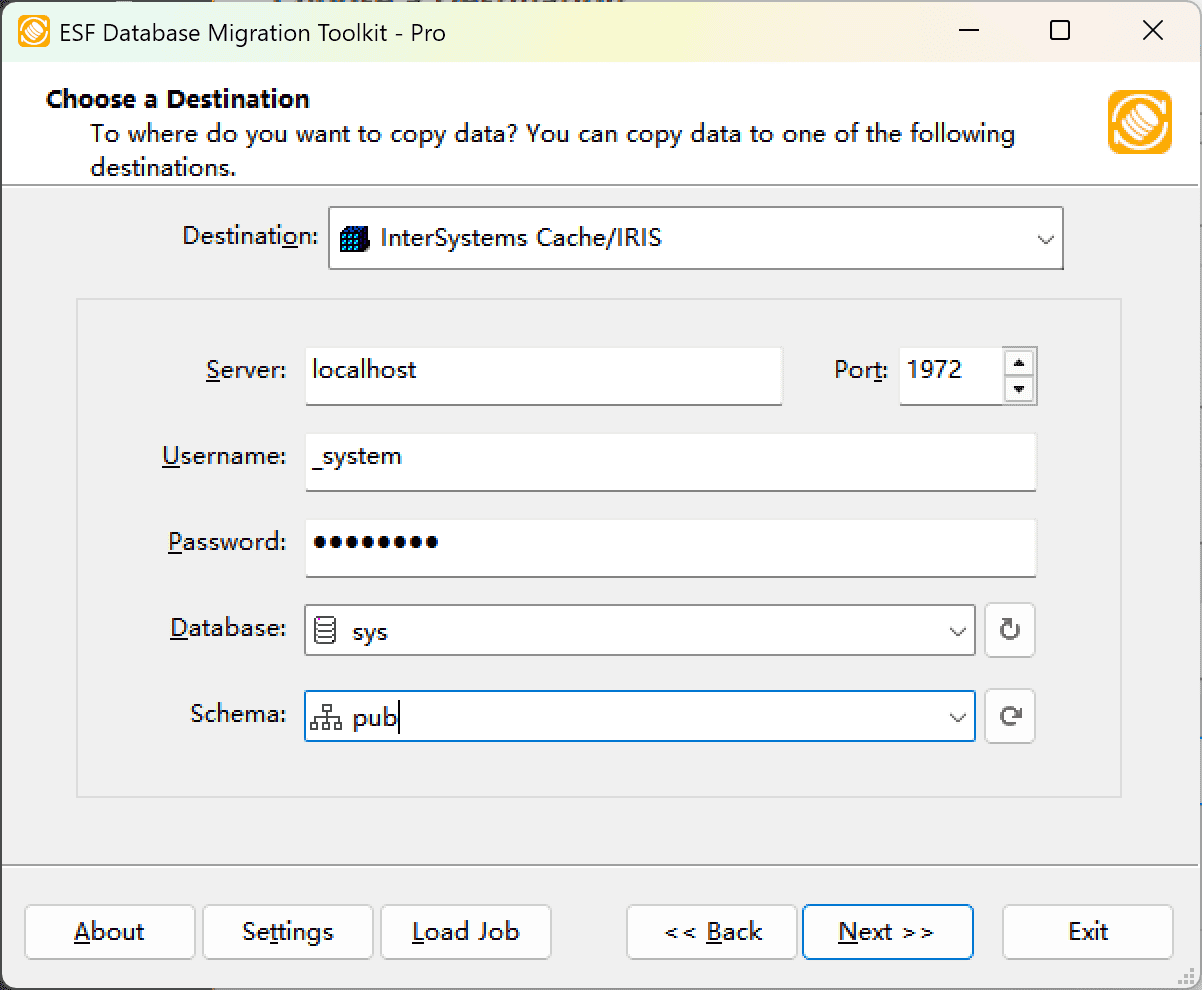
Fig. 3: InterSystems Cache destination configuration - In the "Choose a Destination" dialog:
- Select "InterSystems Cache"
- Enter server connection details:
- Server name:
localhost(default) - Port number:
1972(default)
- Server name:
- Provide authentication credentials:
- Username:
_system(default) - Associated password
- Username:
- Database selection:
- Enter or select target database name
- Click the Refresh button to view available databases
- In the "Choose a Destination" dialog:
-
In "Select Source Table(s) & View(s)" Dialog
-
Select migration objects: Choose tables or views to include in the migration.
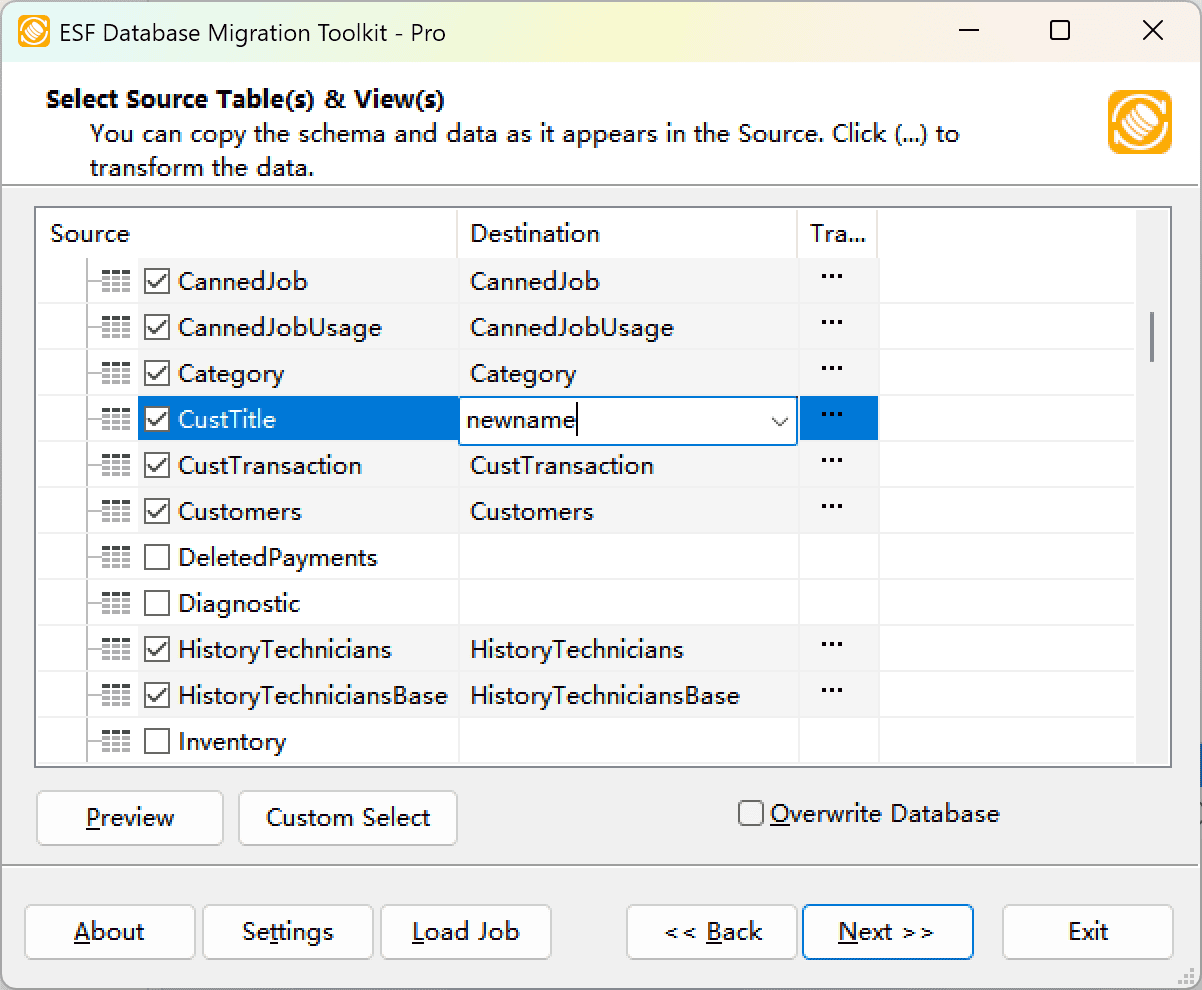
Fig. 4: Select tables and views -
Modify table structure: Click the ellipsis (...) button to access table options and schema adjustments.
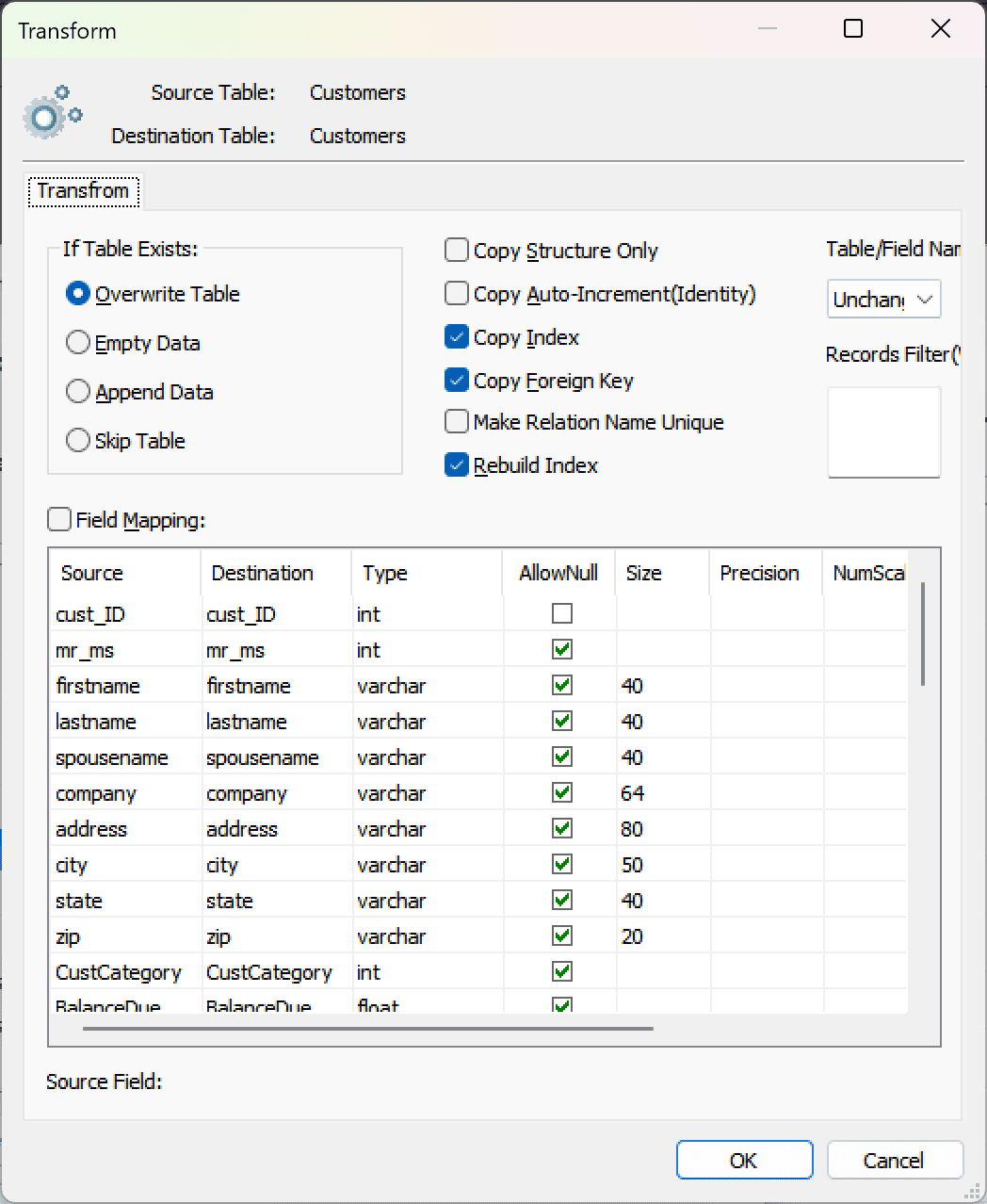
Fig. 5: Do transform -
Configure field mapping: In the Field Mapping options:
- Customize destination fields (name, data type, default value, comments)
- Select data transfer method:
- Overwrite Table (replace existing data)
- Empty Data (truncate before insert)
- Append Data (add to existing data)
- Skip Table (exclude from transfer)
- Apply data filters before transfer
-
Select migration objects: Choose tables or views to include in the migration.
-
Execution Dialog
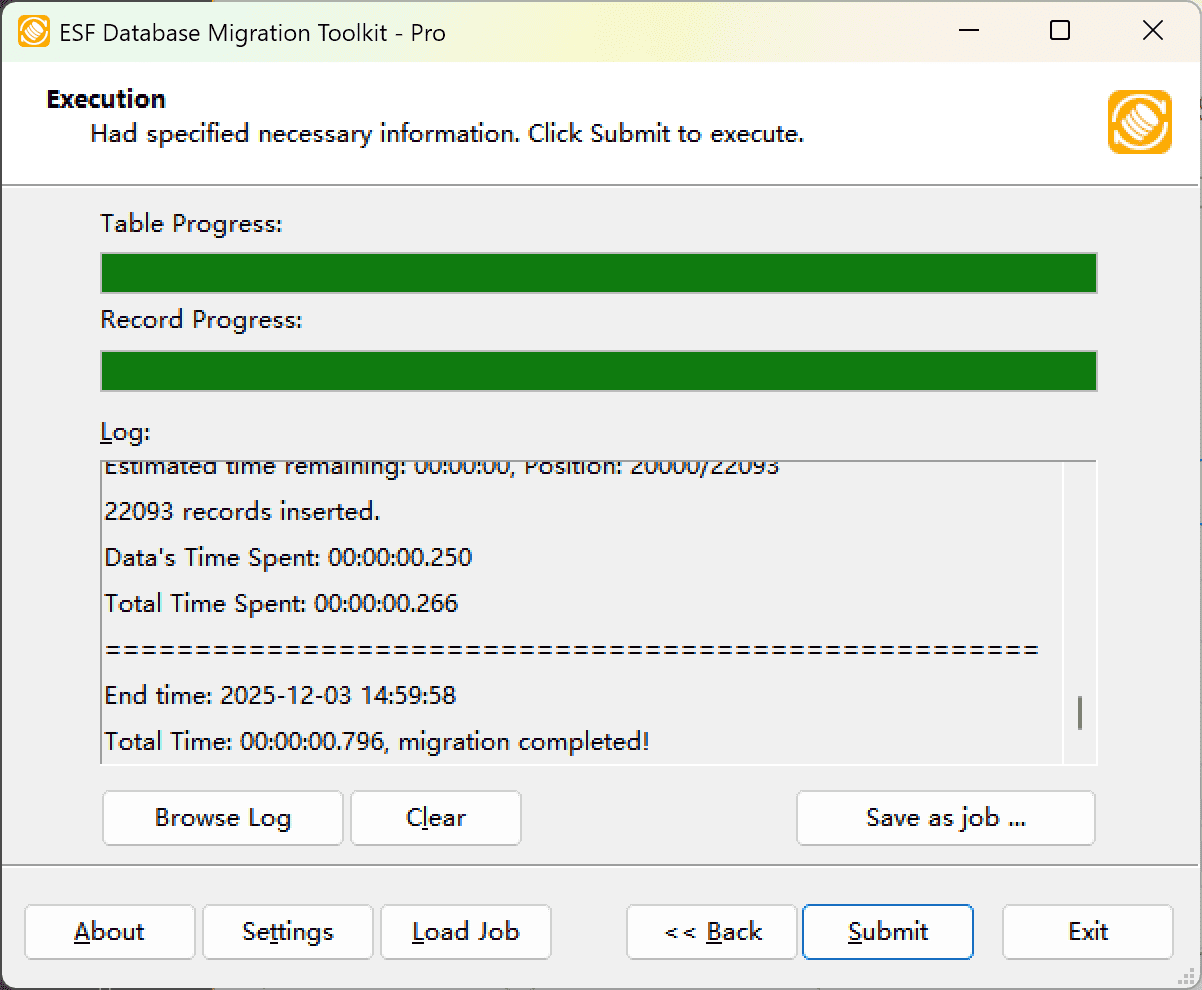
Fig. 6: Execute migration - Start migration: Click "Submit" to initiate automated data transfer from Foxpro to InterSystems Cache.
- Monitor progress: Click "Browse Log" for real-time migration tracking, including issue resolution details.
-
Save configuration: Click "Save as job" to store settings for:
- Quick reloads of migration jobs
- Command-line execution (use:
dmtc.exe --helpfor parameter options)
-
Migration Completed
Congratulations! Your data migration from Foxpro to InterSystems Cache has finished successfully. This toolkit generates a comprehensive report for verifying migration accuracy. You can monitor progress as the automated process runs efficiently. For any questions or feedback, contact us – our team is ready to assist.